5 Best IPTV Apps for Firestick & Android in 2026 (Tested & Ranked)
Key Takeaways & Quick Rankings
- #1 TiviMate: The undisputed gold standard for Firestick with modern TV guide EPG and multiview.
- #2 IPTV Smarters Pro: Best all-around user-friendly app for Android, iOS, and Fire TV.
- #3 IBO Player: Fastest lightweight loading engine for Smart TVs and low-storage sticks.
- Hardware Acceleration: Enable AFR (Auto Frame Rate) to eliminate micro-stutter in 60FPS sports.
Table of Contents
- 1. Why Choosing the Right Firestick Player Matters
- 2. Quick Comparison Matrix: Top 5 IPTV Players
- 3. #1 TiviMate IPTV Player – The Gold Standard
- 4. #2 IPTV Smarters Pro – Universal User Favorite
- 5. #3 XCIPTV Player – Clean Modern Card Layout
- 6. #4 IBO Player – Fastest Stream Loading
- 7. #5 GSE Smart IPTV – Best Cross-Platform Backup
- 8. How to Optimize Your Firestick for 4K 60FPS Streaming
- 9. Final Verdict & Setup Recommendation
Finding the Best IPTV Apps for Firestick is the critical bridge between subscribing to a high-speed IPTV provider and enjoying a truly premium, lag-free television experience. While a server network like Falcon IPTV delivers the raw 4K stream feeds, anti-freeze protocols, and 25,000+ channels, your IPTV media player controls video decoding, EPG timeline rendering, audio track selection, and navigation speed.
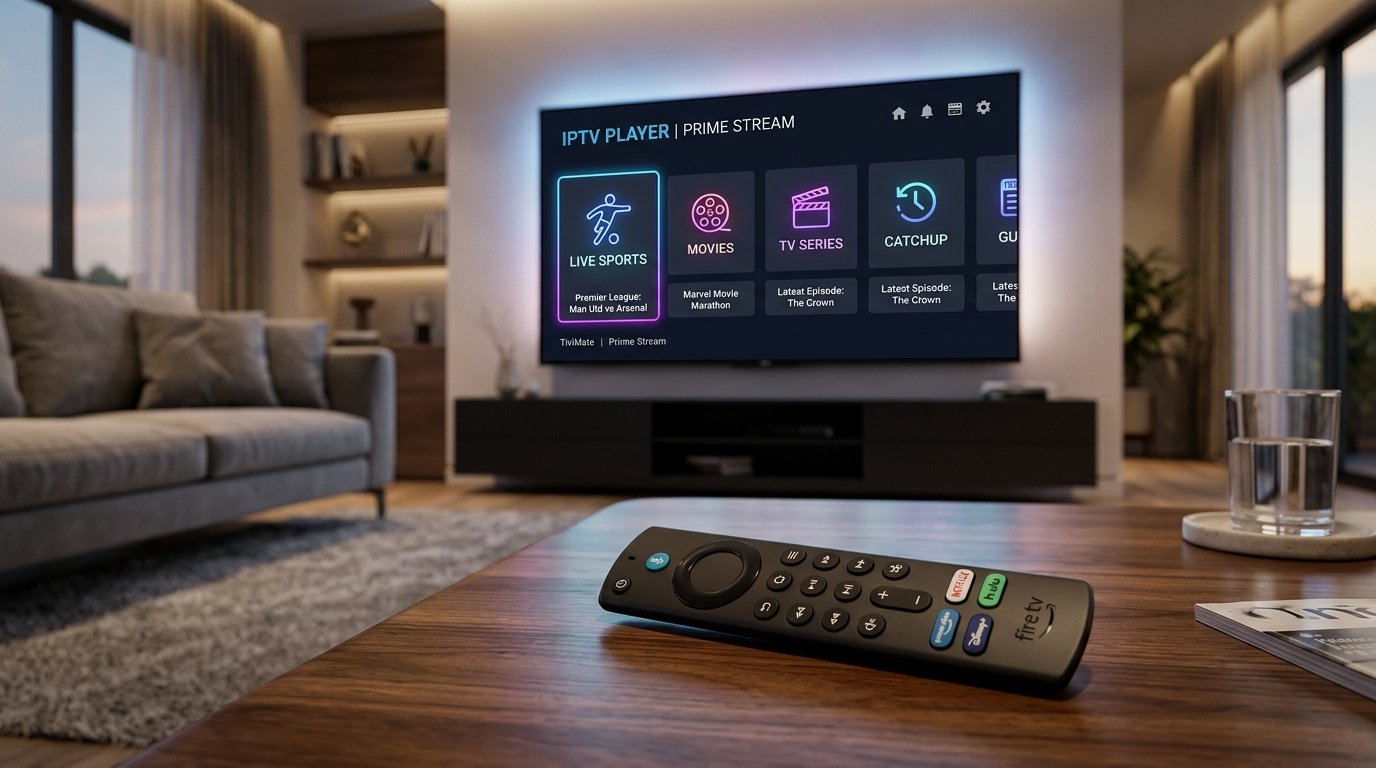
1. Why Choosing the Right Firestick Player Matters
Amazon Fire TV Stick devices run on Fire OS (an Android-based operating system). Because Firestick hardware relies on integrated GPUs with thermal constraints, using a poorly optimized IPTV app can cause dropped frames, audio de-synchronization, and sluggish menu scrolling. A well-engineered player leverages hardware decoding (MediaCodec) to offload video decompression to dedicated silicon, enabling buttery-smooth 60FPS playback even during intense Premier League or Formula 1 action.
2. Quick Comparison Matrix: Top 5 IPTV Players
| Player Name | Best For | Interface Quality | Xtream Codes API | Catch-Up & EPG |
|---|---|---|---|---|
| TiviMate | Power Users & Firestick | ★★★★★ (Cable-Grade) | Yes | Full 7-Day Sync |
| IPTV Smarters Pro | Beginners & Multi-Device | ★★★★☆ (Clean & Intuitive) | Yes | Yes |
| XCIPTV | VOD & Movie Lovers | ★★★★☆ (ExoPlayer Built-in) | Yes | Yes |
| IBO Player | Smart TVs & Speed | ★★★★☆ (Ultra-Fast) | Yes | Yes |
| GSE Smart IPTV | iOS & Apple TV | ★★★☆☆ (Functional) | Yes | Basic |
3. #1 TiviMate IPTV Player – The Gold Standard
Developed specifically for Android TV and Firestick remotes, TiviMate remains the reigning champion of IPTV players. Its TV guide interface mirrors premium cable boxes like Sky Q or Comcast X1, allowing you to flip through channels while keeping the current live broadcast playing in a smooth picture-in-picture preview window.
Key highlights include multi-view support (watch up to 4 live sports matches on one screen simultaneously), automatic EPG updating, multiple playlist management, and custom channel grouping. Check out our detailed How to Setup IPTV on Firestick Guide for step-by-step TiviMate installation instructions via the Downloader app.
4. #2 IPTV Smarters Pro – Universal User Favorite
If you want an app that works on your Firestick, your Samsung TV, your iPhone, and your Windows laptop with the exact same familiar layout, IPTV Smarters Pro is unmatched. It breaks your subscription down into three intuitive tiles: Live TV, Movies, and Series.
It includes native parental controls, master search across all 25,000+ channels, and seamless integration with external players like VLC or MX Player. You can download Smarters directly on the Google Play Store or via Downloader quick codes.
5. #3 XCIPTV Player – Clean Modern Card Layout
Built on ExoPlayer and VLC SDKs, XCIPTV features an interactive card-based home screen. It is particularly popular with movie buffs because it automatically retrieves IMDb ratings, cast bios, and movie trailers for your on-demand library.
6. #4 IBO Player – Fastest Stream Loading
For users seeking lightning-fast channel zapping with zero bloat, IBO Player is a powerhouse. It requires no complex APK sideloading and is available directly in the official Amazon Appstore, Samsung Smart Hub, and LG webOS Content Store.
7. #5 GSE Smart IPTV – Best Cross-Platform Backup
One of the earliest IPTV applications on the market, GSE Smart IPTV supports dynamic JSON playlists, advanced subtitle synchronization, and RTMP/HLS/M3U8 stream formats.
8. How to Optimize Your Firestick for 4K 60FPS Streaming
Even the best app will struggle if your Firestick is starved of system resources. Apply these three essential engineering tweaks:
- Enable Auto Frame Rate (AFR): Inside TiviMate settings, turn on Auto Frame Rate. This forces your TV to match the broadcast’s exact refresh rate (50Hz for European football, 60Hz for US sports), eliminating micro-judder.
- Increase Buffer Size: Set the stream buffer in your player settings to Medium (2 to 5 seconds) to absorb minor Wi-Fi jitter without stalling. Read our guide on How to Fix IPTV Buffering for comprehensive network optimization.
- Clear App Cache Weekly: Firestick flash memory fills up quickly with EPG logos. Clear your player’s cache once a week in Firestick Settings > Applications > Manage Installed Applications.
9. Final Verdict & Setup Recommendation
For Firestick users, TiviMate paired with a Falcon IPTV 12-Month VIP Subscription delivers the absolute closest experience to a $150/month traditional satellite receiver, at a fraction of the cost. Explore our complete 25,000+ 4K Channel Directory to see what channels you can unlock today.
Get Your Falcon IPTV Credentials on WhatsApp Now
Compatible with TiviMate, IPTV Smarters Pro, and all leading Android & Firestick players. 3-minute setup guaranteed.
Order on WhatsApp Now